
Drupal§
To run the Drupal content management system using Unit:
Install Unit with a PHP language module.
Install and configure Drupal’s prerequisites.
Install Drupal’s core files. Here, we install it at /path/to/app/; use a real path in your configuration.
Run the following command (as root) so Unit can access the application directory:
# chown -R unit:unit /path/to/app/
Note
The unit:unit user-group pair is available only with official packages, Docker images, and some third-party repos. Otherwise, account names may differ; run the ps aux | grep unitd command to be sure.
For further details, including permissions, see the security checklist.
Next, prepare the Drupal configuration for Unit. The default .htaccess scheme in a Drupal installation roughly translates into the following (use real values for share and root):
Warning
The share action in the configuration below serves any file that no earlier step sends elsewhere. It serves a PHP file as source; it never runs it. The uri patterns are globs and match case-sensitively, so *.php does not match /config.PHP. On a case-insensitive filesystem (macOS, Windows, or a Docker Desktop bind mount from either) that file exists, and the share returns it with the passwords in it. A file the patterns never name, such as config.php.bak or settings.inc, is served the same way.
Add a types allow-list to the share action. Keep the fallback where the configuration has one:
"types": ["image/*", "text/css", "application/javascript", "font/*"]
Unit compares this list with the MIME type it looks up from the file’s extension. The lookup is case-insensitive, so /config.PHP still resolves to application/x-httpd-php and is refused. An extension Unit does not know, such as .phtml or .inc, has an empty type, and the allow-list refuses that too. A refused request takes the share’s fallback when there is one, and gets a 403 response when there is not. Do not write the list as a refuse-list such as [“!application/x-httpd-php”]: a negated pattern does not exclude an empty type. See MIME filtering for the pattern syntax and the MIME type table for the limits of types, including the index file case.
The list above is a starting point. Add the types your site serves -- text/html, application/json, text/plain, the XML types, application/pdf, video/* -- or those files are not served.
{
    "listeners": {
        "*:80": {
            "pass": "routes"
        }
    },

    "routes": [
        {
            "match": {
                "uri": [
                    "!*/.well-known/*",
                    "/vendor/*",
                    "/core/profiles/demo_umami/modules/demo_umami_content/default_content/*",
                    "*.engine",
                    "*.inc",
                    "*.install",
                    "*.make",
                    "*.module",
                    "*.po",
                    "*.profile",
                    "*.sh",
                    "*.theme",
                    "*.tpl",
                    "*.twig",
                    "*.xtmpl",
                    "*.yml",
                    "*/.*",
                    "*/Entries*",
                    "*/Repository",
                    "*/Root",
                    "*/Tag",
                    "*/Template",
                    "*/composer.json",
                    "*/composer.lock",
                    "*/web.config",
                    "*sql",
                    "*.bak",
                    "*.orig",
                    "*.save",
                    "*.swo",
                    "*.swp",
                    "*~"
                ]
            },

            "action": {
                "return": 404
            }
        },
        {
            "match": {
                "uri": [
                    "/core/authorize.php",
                    "/core/core.api.php",
                    "/core/globals.api.php",
                    "/core/install.php",
                    "/core/modules/statistics/statistics.php",
                    "~^/core/modules/system/tests/https?\\.php",
                    "/core/rebuild.php",
                    "/index.php",
                    "/index.php/*",
                    "/update.php",
                    "/update.php/*"
                ]
            },

            "action": {
                "pass": "applications/drupal/direct"
            }
        },
        {
            "match": {
                "uri": [
                    "!/index.php",
                    "!/index.php/*",
                    "*.php"
                ]
            },

            "action": {
                "return": 404
            }
        },
        {
            "action": {
                "share": "/path/to/app/web$uri",
                "response_headers": {
                    "Cache-Control": "max-age=31536000"
                },
                "fallback": {
                    "pass": "applications/drupal/index"
                }
            }
        }
    ],

    "applications": {
        "drupal": {
            "type": "php",
            "targets": {
                "direct": {
                    "root": "/path/to/app/web/"
                },

                "index": {
                    "root": "/path/to/app/web/",
                    "script": "index.php"
                }
            }
        }
    }
}
Warning
The order of these routes matters. Keep the share action last. The steps above are what keep PHP files from reaching it: the first return: 404 hides configuration and library files, and the second rejects every .php URI other than /index.php. The /index.php and /index.php/* entries of the direct step run the bare path and its PATH_INFO forms as PHP. Without them, /index.php reaches the share. With no types list, the share returns the source of index.php. With the types allow-list from the warning above, the share refuses the file, and the fallback runs index.php with no PATH_INFO. Without them, a PATH_INFO form such as /index.php/node/1 is not a file, so it reaches the fallback and loses its PATH_INFO. If you reorder these steps, or add a “static files first” share ahead of them, a request for /sites/default/settings.php returns the file verbatim with your database password in the body.
Drupal’s PHP also lives in .module, .inc, .install, .theme and .profile files. In the configuration above the first return: 404 step denies them on the URI. That step does the work, not types: a configuration that drops the deny list and relies on types alone serves all five as source.
A types allow-list on the trailing share is a safety net, not a replacement for this order. A request the list refuses takes the share’s fallback, applications/drupal/index, which is where a non-static path belongs. It does not resume routing at the next step, so types on a share placed earlier would stop /core/install.php and /update.php from reaching the direct target.
Warning
The case caveat in the warning before the configuration is not limited to PHP. Every pattern in a uri array is matched the same way, so the deny list above misses /core/composer.JSON, /WEB.CONFIG, an uppercase .YML and the rest; the trailing share then serves them. The list is not uniformly lowercase either: */Entries*, */Repository, */Root, */Tag and */Template are capitalised, and those five match only that exact spelling — a lowercase /cvs/root is not denied.
The dependable fix is to keep the document root on a case-sensitive filesystem, which is what a Linux production host gives you by default. Unit has no per-route case-insensitivity switch: closing the gap in the configuration means replacing each glob with a regular expression, for example
"~(?i)\\.php$"in place of"*.php", and doing that for one pattern only moves the exposure to the other 31. Rewriting all of them is an option, but treat the caveat, not the .php entry, as the thing to act on.This configuration comes from the upstream Unit documentation, which is archived and no longer updated, so copies of it in the wild still carry the original claim that the rule denies “any PHP scripts”. See freeunit#323.
Unit does not read .htaccess. The response_headers option on the share action above replaces its ExpiresDefault “access plus 1 year” rule. Without it, a site moved from Apache serves every static file without Cache-Control, and the one-year cache time is lost. The option applies only to the files the share serves. A request that takes the fallback is handled by the fallback action, so responses from index.php do not get the header, which matches the ExpiresActive Off rule for .php files in .htaccess.
Note
The difference between the pass targets is their usage of the script setting:
- The direct target runs the .php script from the URI or index.php if the URI omits it.
- The index target specifies the script that Unit runs for any URIs the target receives.
Upload the updated configuration. Assuming the JSON above was added to
config.json. Run the following command as root:# curl -X PUT --data-binary @config.json --unix-socket \ /path/to/control.unit.sock http://localhost/config/
Note
The control socket path may vary; run unitd -h or see Startup and Shutdown for details.
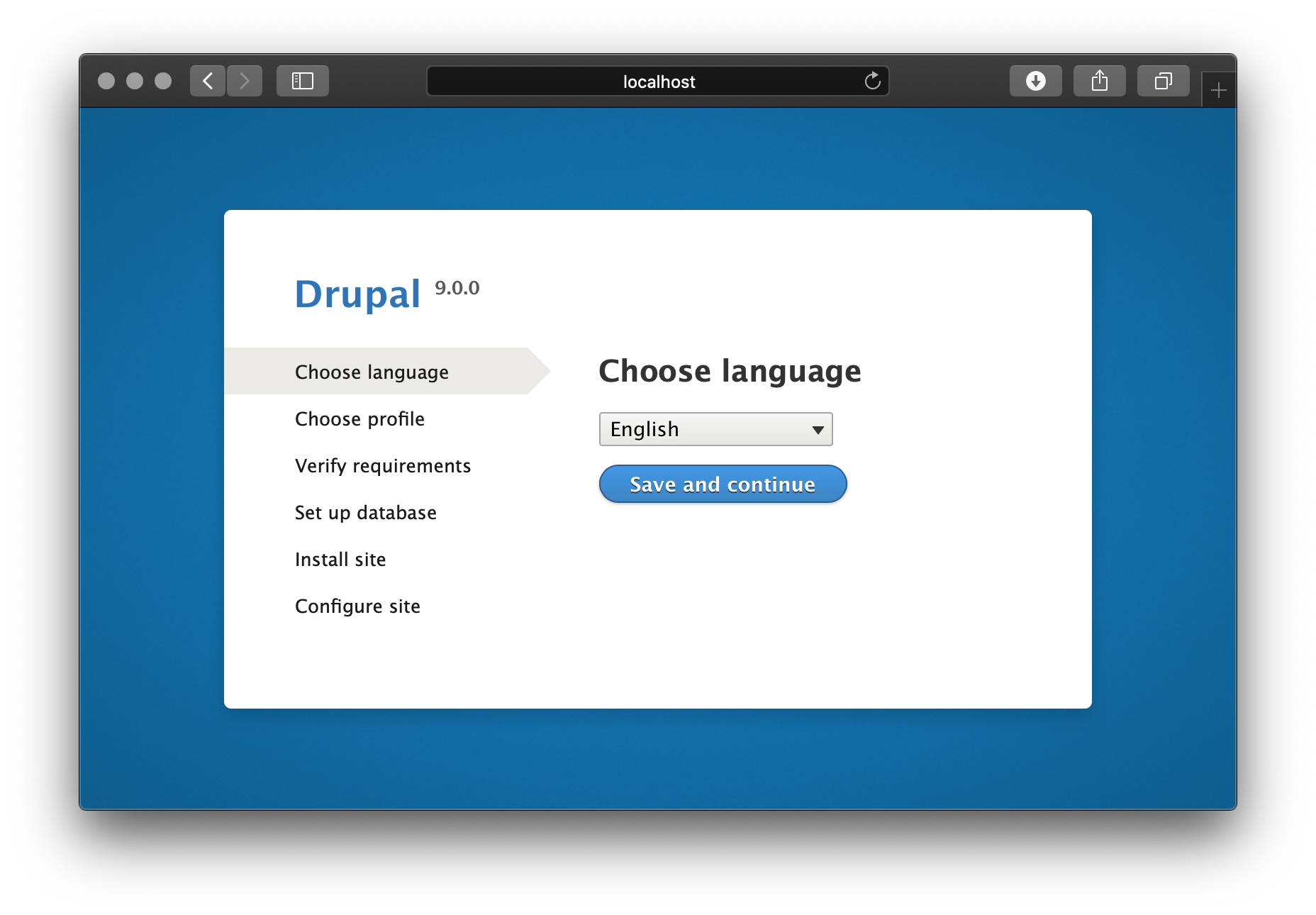
After a successful update, browse to http://localhost and set up your Drupal installation:
Cron and background work§
Applies to Drupal 10 and later. Two different code paths reach the same result, so the version only changes which one you read.
From 11.4, Drupal starts up through symfony/runtime. Its HttpKernelRunner sends the response. Then it calls fastcgi_finish_request(). Only after that does it call $kernel->terminate(). See drupal.org #3313404.
On Drupal 10 and 11.0-11.3, index.php calls $response->send() and then $kernel->terminate(). Response::send() calls fastcgi_finish_request() itself when that function exists, and the PHP module provides it.
Either way, anything a module does in the terminate phase runs after the client already has its response.
What this means on Unit§
Note
Unit 1.37.0 fixes this (freeunit#405). The process now tells the router that it is still running after fastcgi_finish_request(). The router counts it as busy until the job ends, so it counts against processes.max and the idle reaper does not stop it. The rest of this section describes 1.36.1 and earlier.
Unit’s PHP module implements fastcgi_finish_request(). When PHP calls it, the module tells the router that the request is complete, and PHP goes on running. Up to 1.36.1, two things follow. Both were observed:
- The router counts the process as idle, so processes.max reports more capacity than you really have.
- The idle clock for the process starts. The idle reaper (idle_timeout, default 15 seconds) can then send QUIT to the process and remove it while the job is still running.
The job itself still finishes, because Unit cannot interrupt a PHP script. But a request that is already queued to that process can end up with no process to serve it, and Unit starts no replacement. This was observed, not derived: in one measurement such a request ran about 300 seconds later, when other traffic started the application again. It was tracked as issue #321, which also records the conditions of that measurement.
Such a request waits; it does not fail. No 503 arrived in that measurement. Unit starts limits.timeout when it hands a request to a process. A request that is still waiting for a process has no timer running. Note also that this option defaults to 0, which starts no timer at all.
The automated_cron module§
A stock Drupal install enables automated_cron. This module runs cron in the terminate phase of a random visitor’s request, at most once every 10800 seconds (3 hours). Core’s cron service raises the time limit for that run to 240 seconds (Environment::setTimeLimit(240) in core/lib/Drupal/Core/Cron.php). With “processes”: {“max”: 1}, the site is down for as long as the run takes.
Uninstall automated_cron, or set its interval to 0, and run cron outside the request:
$ drush cron
Run this from a systemd timer or from system cron. Handle queues the same way, with drush queue:run.
Opcache and idle processes§
A common recommendation for PHP-FPM says to keep one process alive, because the opcache is lost when the last process exits. That does not apply to Unit. The PHP module starts PHP in the application prototype (nxt_php_setup() in src/nxt_php_sapi.c), and Unit forks every process from that prototype. The opcache shared memory belongs to the prototype, and the idle reaper never removes the prototype, so the cache survives a process exiting. A configuration change that touches the application replaces the prototype, and the opcache then starts cold.
So “idle_timeout”: 0 or “spare”: 1 is not needed to keep the opcache warm. This says nothing else about spare. “spare”: 0 keeps no process resident. On 1.36.1 and earlier, “spare”: 0 with terminate-phase work also has the risk that What this means on Unit describes.
If cron must stay in-request§
On 1.36.1 and earlier, two settings make the problem smaller. From 1.37.0 on, they are not needed for this problem:
- “spare”: 1 keeps one process warm. The idle reaper then never looks at the last idle process.
- An idle_timeout longer than the slowest job.
Treat both as mitigations, not guarantees. They come from a single observation in a run that was measuring something else. No controlled test confirmed them.
“spare”: 1 has a measured cost. When the configuration changes, Unit logs lines such as:
[alert] sendmsg(...) failed (32: Broken pipe)
This is the prototype writing to a spare process that has already exited. The processes still exit 0 and no request is affected, so nothing breaks. Up to 1.36.1 the line is logged at alert level, so it can trigger log-based alerts. In a run before 1.37.0 over a sample of three configuration changes, “spare”: 1 produced such lines and “spare”: 0 produced none. From 1.37.0 on, a QUIT that fails because the process already exited is logged at info level (freeunit#440).
Bounding a job§
Use pcntl_alarm() to bound a job. set_time_limit() does not bound it: it does not stop a blocking sleep or a blocking I/O call.
pcntl_alarm() only schedules the SIGALRM signal. Four things must also be true for it to stop the job.
- The pcntl extension must be loaded.
- A handler must be registered with pcntl_signal().
- Signal delivery must be asynchronous, through pcntl_async_signals(true). Otherwise the handler runs only at the next tick.
- The handler must end the job itself. A handler that returns does not stop anything: the job continues from where the signal interrupted it.
The third argument to pcntl_signal() is restart_syscalls. When it is true, the system resumes a call that a signal interrupted, and a blocking call inside an extension or a database driver can run past the bound. For SIGALRM PHP already defaults it to false, so the example passes false to state that rather than to change it. Pass false explicitly for any other signal you handle this way.
Release Drupal’s cron lock in the handler. If you do not, the lock stays held and cron is skipped for up to 900 seconds.
Cancel the alarm when the job finishes normally. An alarm that is still pending fires during the next request on the same process.
A complete pattern:
pcntl_async_signals(TRUE);

pcntl_signal(SIGALRM, function () {
  \Drupal::lock()->release('cron');
  exit(1);
}, FALSE);

pcntl_alarm(240);

try {
  \Drupal::service('cron')->run();
}
finally {
  pcntl_alarm(0);
}
exit() ends the process. Unit starts a new one for the next request. To keep the process, throw from the handler instead and catch the exception outside the try block above, but only if every library in the job is exception-safe.
What happens on deploy§
A running job survives idle reaping, a configuration PUT, and SIGTERM to unitd. In all three cases Unit sends QUIT as a port message, and a process only reads its port between requests. Unit never turns that message into a signal for a process that has reported that it is ready.
So a job finishes by default. But it has no timeout and no upper limit: a runaway job keeps an orphaned process alive for as long as it runs. That process does not appear in /status, and it is no longer part of the configuration. Unit does not drain background jobs on deploy. It only never interrupts them.
Warning
docker stop sends SIGTERM and then, after a grace period of 10 seconds by default, SIGKILL. The second signal does kill a running job.
Warning
On Drupal 11.4 and later, the runner skips fastcgi_finish_request() when debug mode is on (APP_DEBUG). The request then stops detaching, with no error and no log line, and the visitor waits for the terminate phase again.
On Drupal 10 and 11.0-11.3 there is no such switch. index.php calls $response->send(), which calls fastcgi_finish_request() whenever the function exists. Debug mode does not change this. On those versions the terminate phase always runs after the response, so the behaviour described above always applies.